
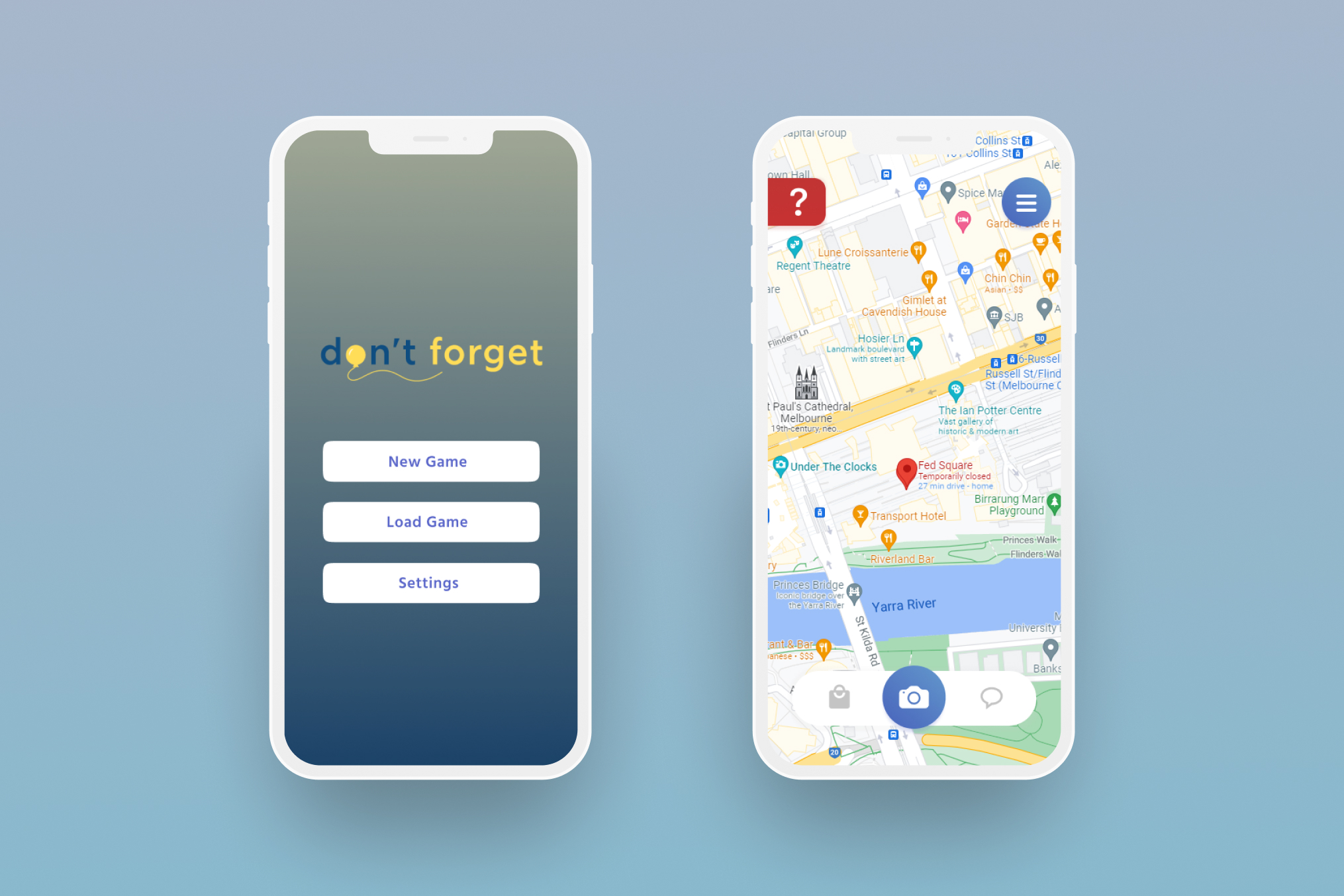
Don’t Forget is a location-based game where users are able to immerse themselves in a story-driven narrative whilst exploring Melbourne CBD by solving puzzles in certain locations with the support of geolocation tracking and AR support.
This was a class project for a third year UX/UI design unit where we were given the opportunity to create a location-based application that focuses on delivering a narrative to users while showcasing areas in Melbourne.
In response to this brief, I decided to create a mystery themed location-based game called Don’t Forget. This game allows users to explore the heart of Melbourne by immersing themselves in a heartfelt story filled with puzzles to solve.
When brainstorming concept ideas for this brief, I wanted to create a location-based game with similar game mechanics to popular thought-provoking games such as Ace Attorney and Professor Layton, where finding clues and solving puzzles would be the key focus of the narrative.
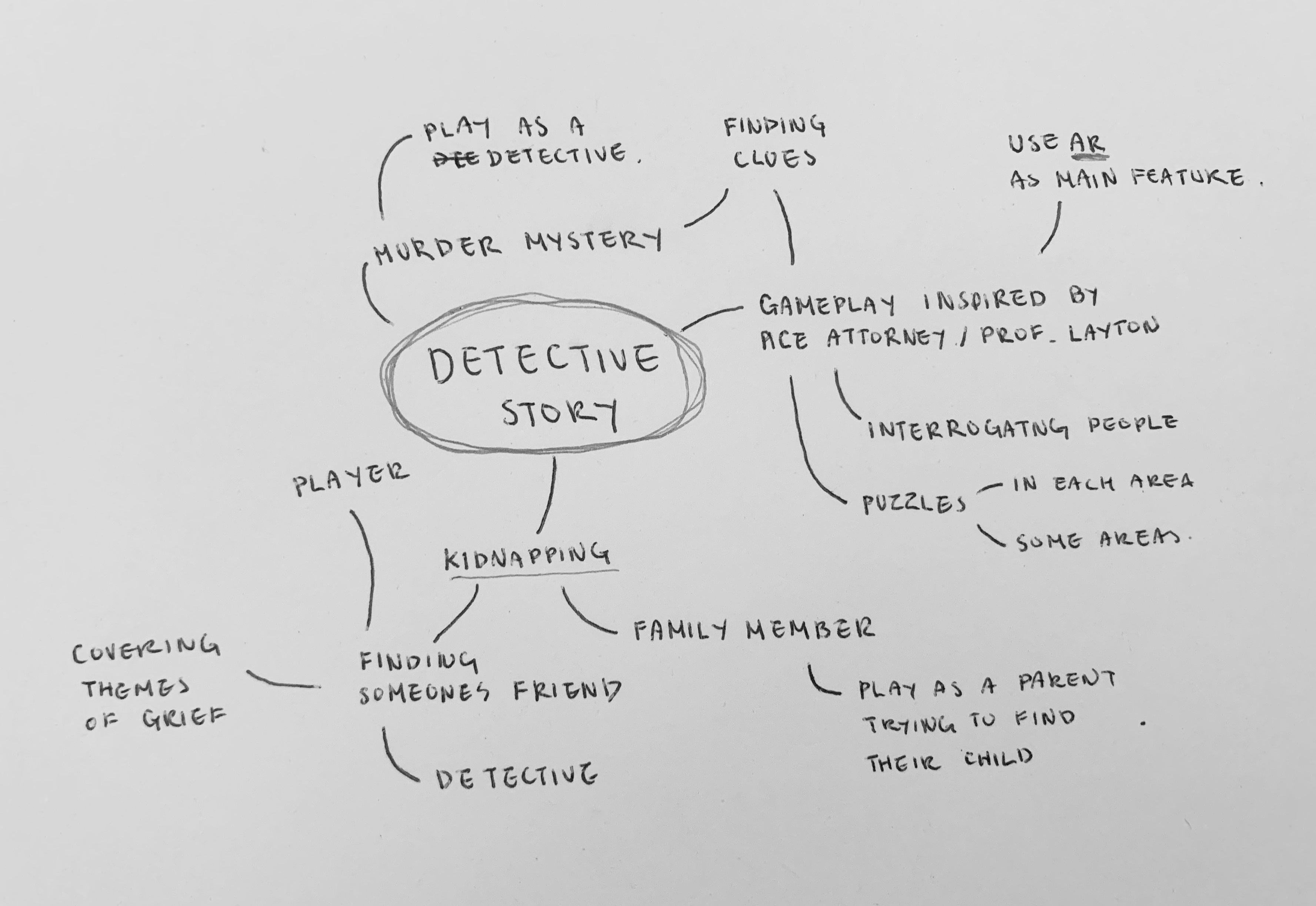

I conducted a focus group with four participants to explore their perceptions on mobile gaming, location-based games and puzzle games. Based on the responses, I found that:
"I liked the fact that wherever I went there was something to do, some concerns would be where are they keeping the location data and are there any hazards near the in game events"
"I really enjoy puzzle games as long as they're attached to a story."
"Puzzles on their own don't feel like enough. I do enjoy the challenge/reward of solving puzzles"
I also undertook further research through literature reviews to help identify existing issues regarding the idea of location-based gaming, geolocation tracking and augmented reality.
From my research, I discovered that the general public’s perception of these ideas was widely viewed in a positive light. However, when these features were first introduced, it raised some ethical concerns regarding the collection, storage and use of personal information. Fortunately, technology is available to limit the tracking of personal information and these concerns can be largely overcome.
Based on research I conducted and the responses from the focus group, I created a persona highlighting the user's goals, pain points and their experience with technology and mobile gaming.

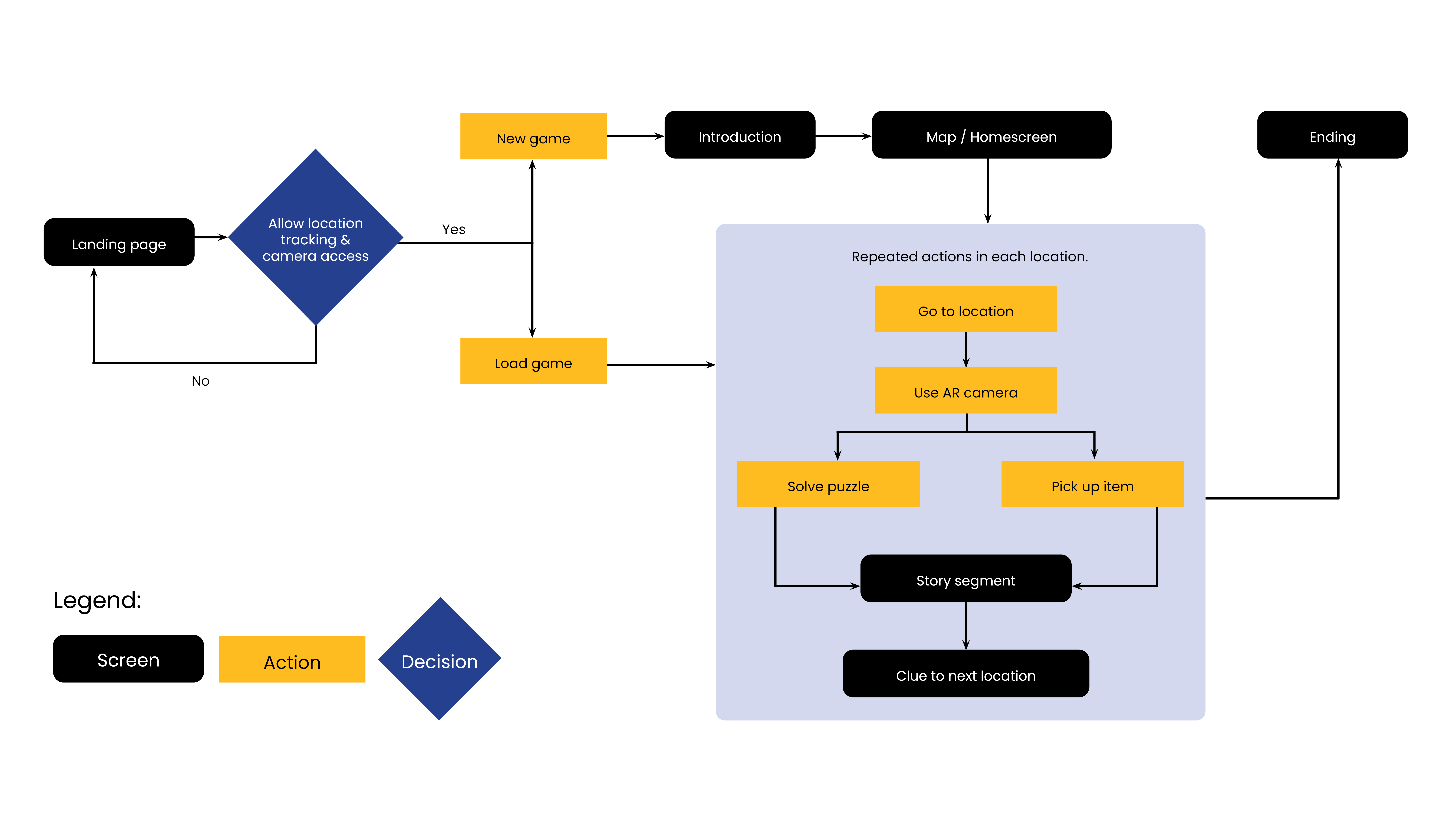
I have created a user flow chart to help visualize what the process would look like for the user from start to finish.
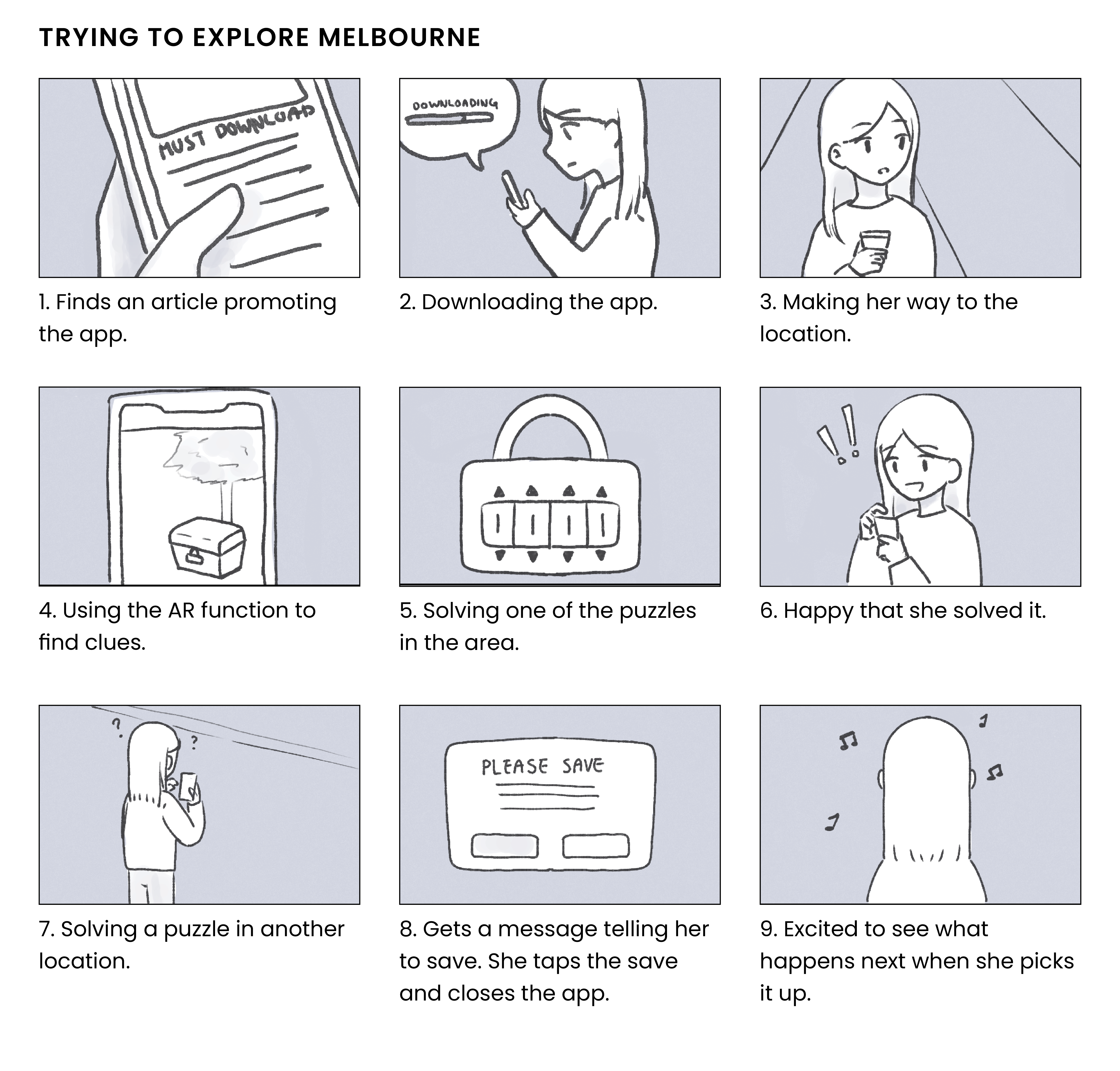
When sketching the wireframes, I wanted the layout of the design to be simple to prevent users from feeling frustrated when interacting with my app, whilst also addressing ethical concerns and mobile UI elements, which has been annotated below.


Once the layout designs were finalized, an interactive prototype was then developed in Figma for the purpose of usability testing. The prototype includes the landing page, save and load feature, each of the locations in the game, AR camera, GPS function and a working navigation menu.

The purpose of usability testing is to understand how the user engages with the app and to ensure that the experience is seamless. It is important to highlight issues related to functionality, narrative and visual issues before entering the final design stage.
I was able to gather four participants to take part in my user testing, however because these had to be conducted under Covid-19 lockdown restrictions, this created a challenging situation of undertaking user testing by remote video conferencing technology. During user testing, I recorded each of the participants to understand how users interact with their smartphones.
Although users were overall pleased with the experience, there were some issues that users faced while using the app which I have listed down below:
Based on the feedback received during the usability testing, I made some refinements to help enhance the user experience of the app.
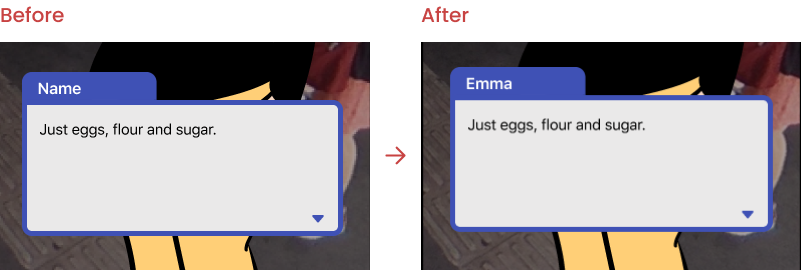
In the opening segment, one of the text boxes was attributed to the wrong person. This has been fixed in the second iteration where it is not Emma speaking, but the kidnapper.
The first iteration had a spelling mistake where the objective widget said "Buy ingrediants" instead of "Buy ingredients".
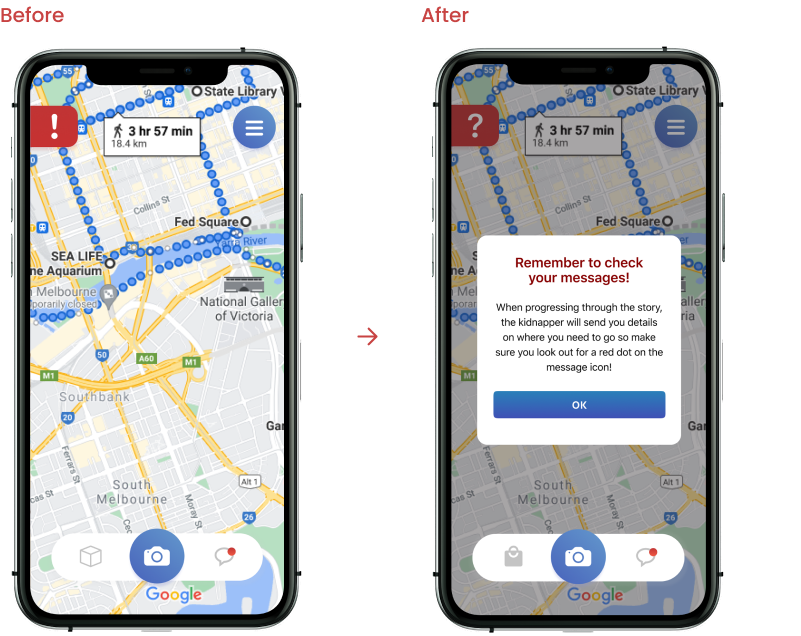
A tutorial has been added to guide userswhat they need to do in order to progress through the game. This will only be evident in the first two locations.
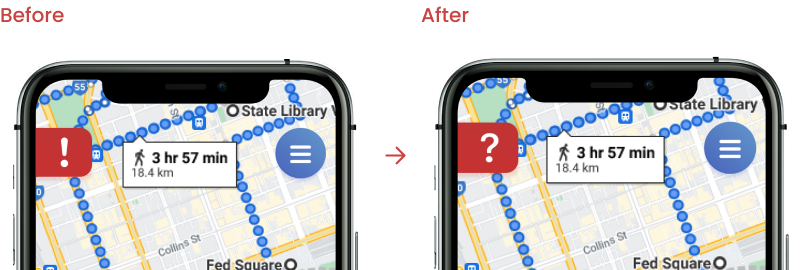
The icon for the objective widget is now a question mark instead of an exclamation mark. The purpose of changing the icon is to communicate its purpose to the users where a question mark would most likely be associated with seeking help.
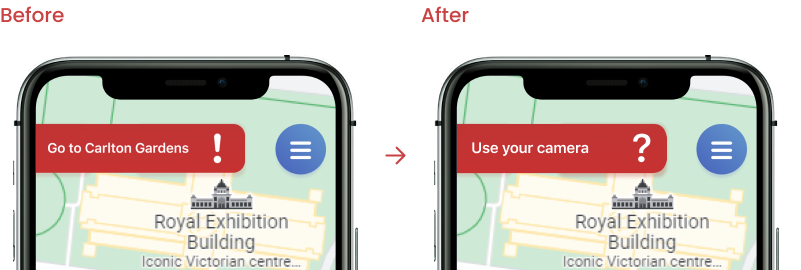
The hints in the objective widget are much more clearer and provide a better explanation of what users have to do next. For example, the message "Go to (Location)" was seen when users were already in the area, and this had caused confusion during testing as participants did not realize they had to use the AR function. Hence, this has been replaced with "Use your camera" to prevent users from being lost.
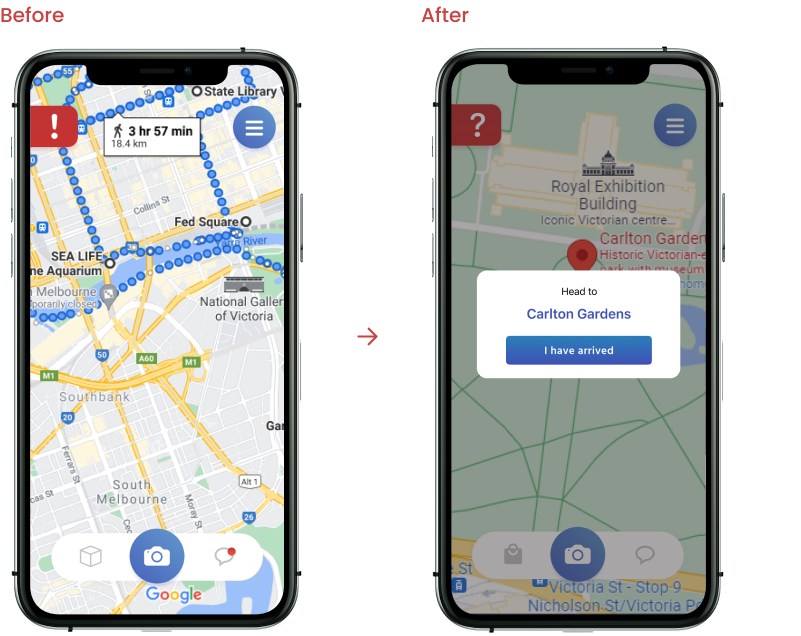
During the first testing, participants often found themselves tapping the map as a way to signify that they're at the location. As a result, I have added a pop-up widget that allows users to press a button if they have arrived at the destination point.
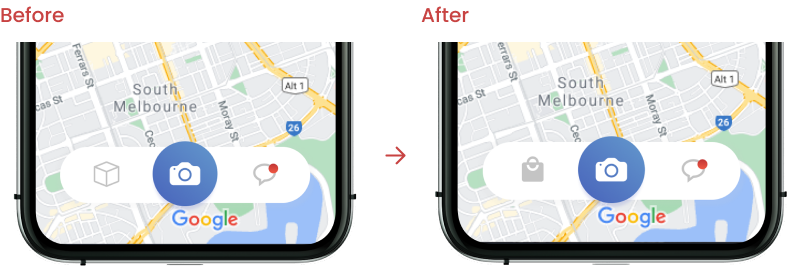
The original icon for the inventory was represented as a box but participants who tested the prototype did not find it intuitive and did not often utilize it. This has been changed to a bag to communicate its purpose clearly.
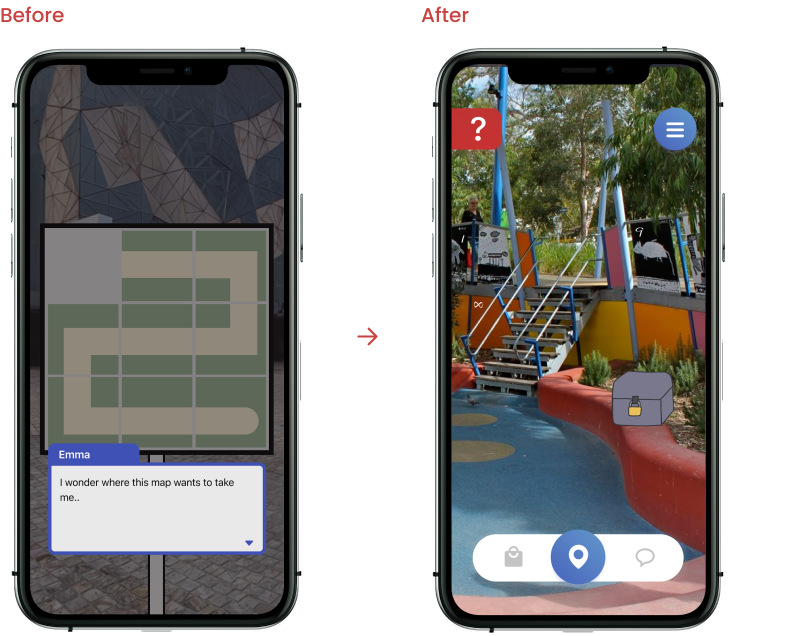
Some of the puzzles later in the game were confusing to test participants because they felt that they had no context to them. In version 2.0, puzzles have been refined to make more sense to players and when the puzzles are solved, users do not have to press back to progress, rather are redirected to the next scene.
Previous participants were gathered again to test the latest version of the prototype, but I had also sourced a participant who was new to the app.
While testing the refined version of the prototype, participants did not express any signs of frustration or confusion while testing the app. The previous participants were overall pleased with the new experience compared to the first prototype and expressed that the addition of new features "made the first play-through much more straightforward" and "easier to navigate and understand".
In contrast to the first iteration, participants did not press the map when arriving at each location due to the added feature of an arrival prompt. Participants stated that this feature has helped communicate the simulated geolocation tracking and found it easy to navigate their way through the app. . In addition, participants were quite pleased with the changes made for the inventory icon where they felt that it represented its purpose clearly compared to a box.
In regards to the narrative and puzzles, participants found the narrative easy to follow but there were mixed opinions on the puzzles where participants found them too easy, but were not too difficult where it would disrupt gameplay and had relevance to the story.
Overall, participants found the experience to be seamless and there were no reports on major issues that needed to be attended to, aside from minor spelling errors that were found throughout the app.
Considering the feedback I received, I implemented improvements to address the issues identified by users in the initial test phase. I then conducted a second usability testing and received positive feedback across all users, who found the experience to be seamless.
The interactive prototype can be found .
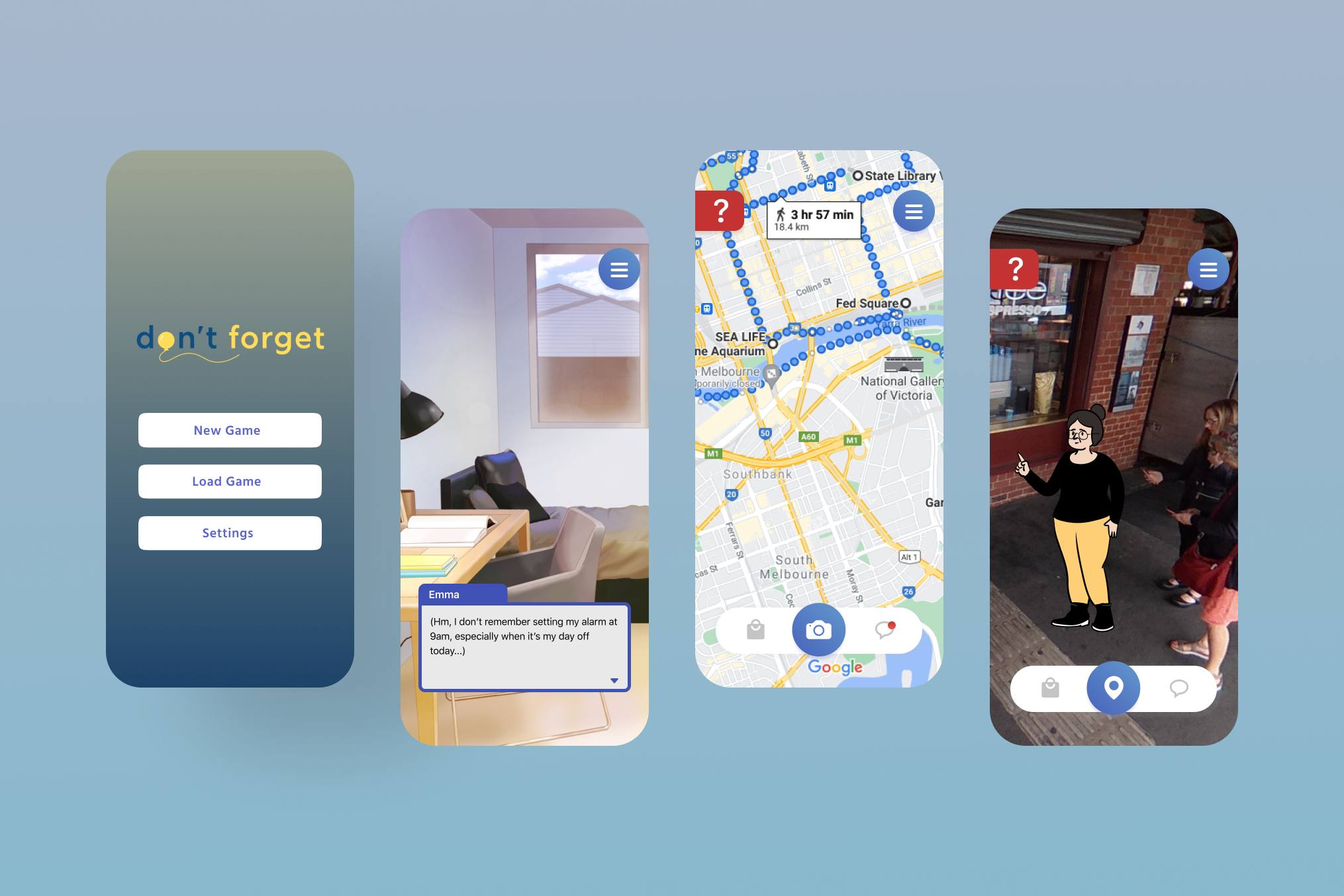
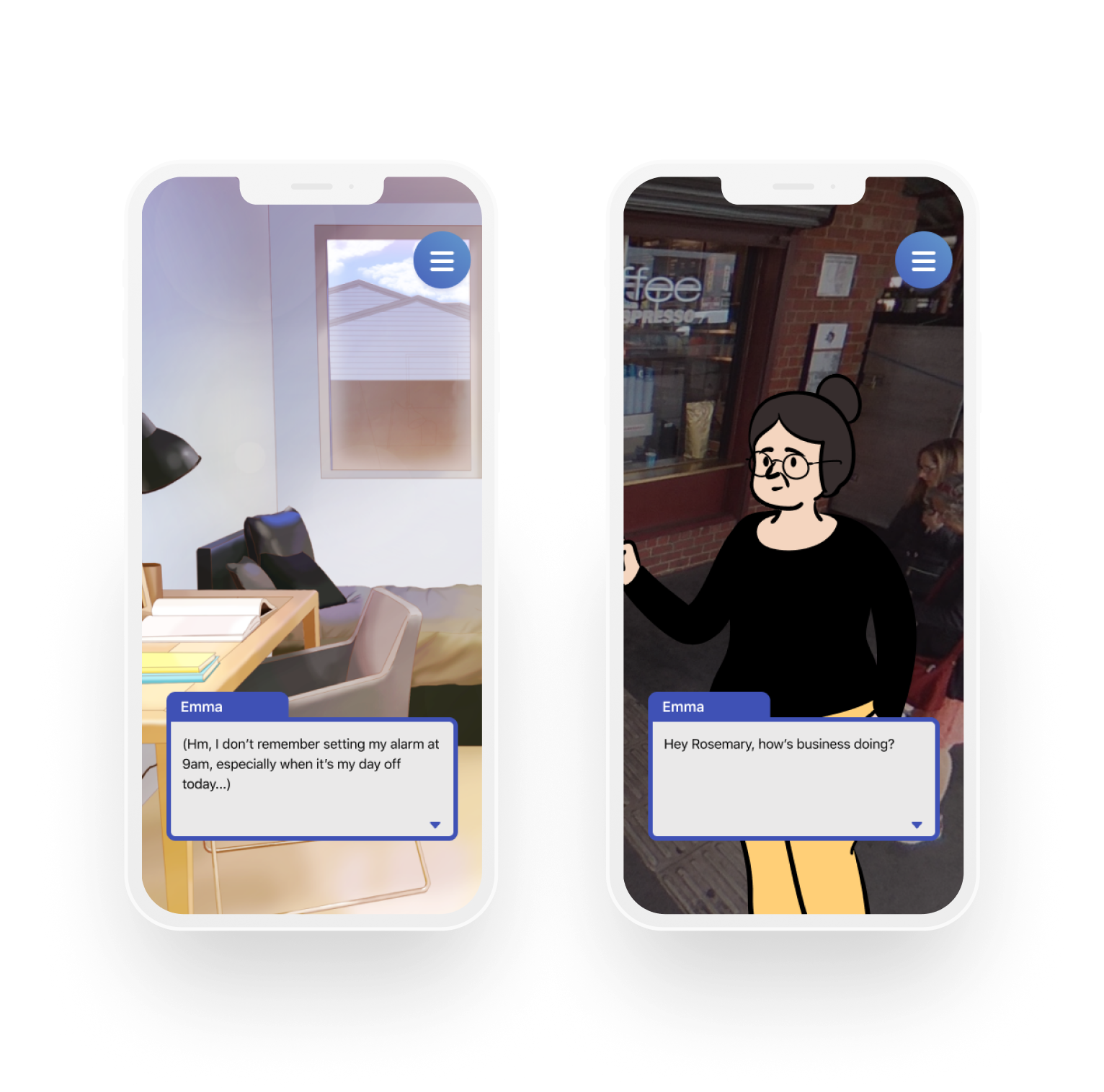
Users can press anywhere on the screen to progress through dialogue.
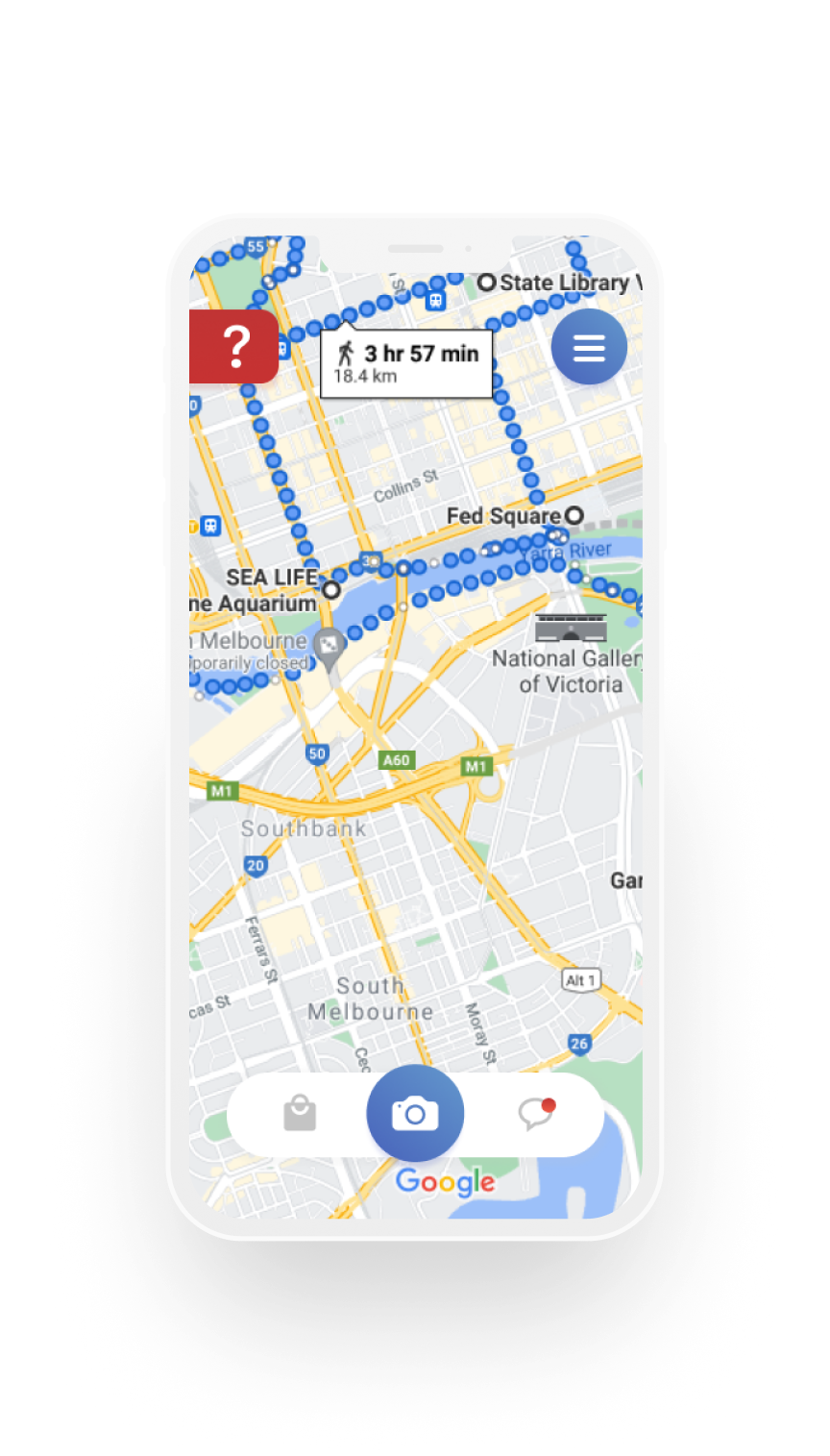
The home screen utilizes GPS tracking to indicate how close the user is to the destination point.
There is also a navigation bar which consists of key features such as an inventory menu, AR button and a message tab.
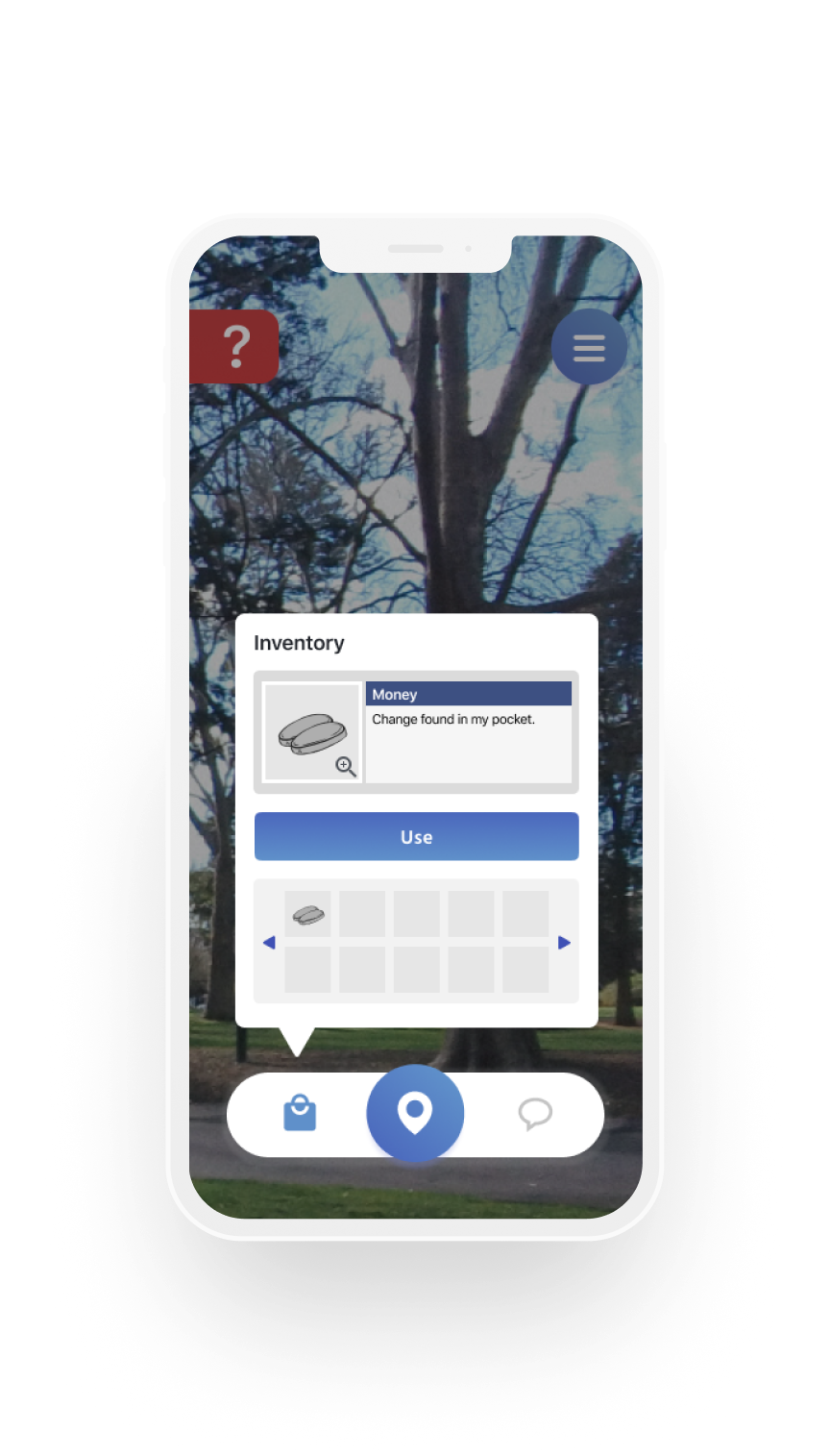
Users can check the clues they’ve collected so far by pressing the inventory icon.
Some events will require users to present certain items to characters to progress through the story.
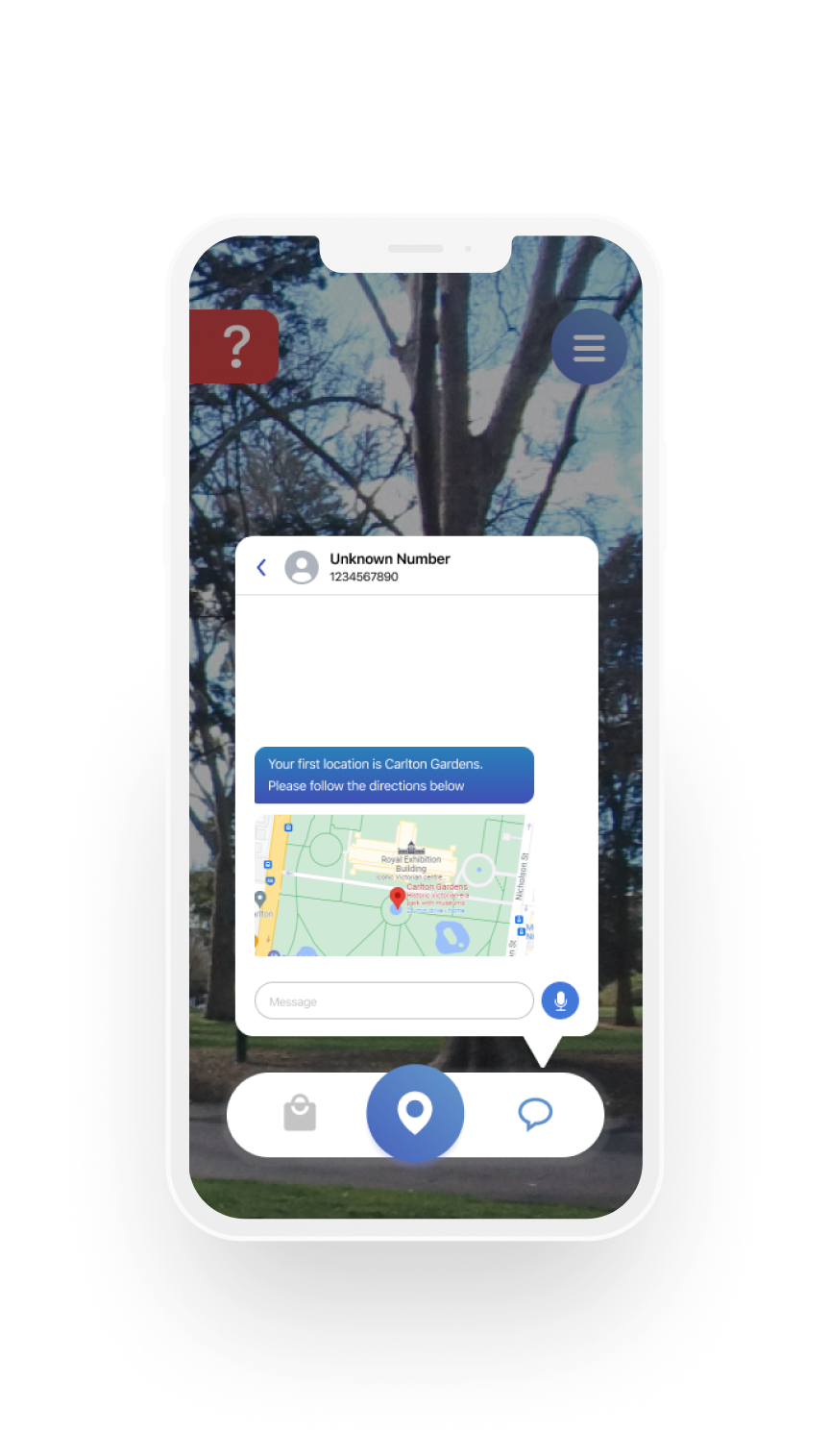
This feature alerts the users where their next destination is and will be notified after completing a puzzle.
Users will need to scan the area using their camera to find clues. These can easily be found by the distinctive artstyle to give more constrast.

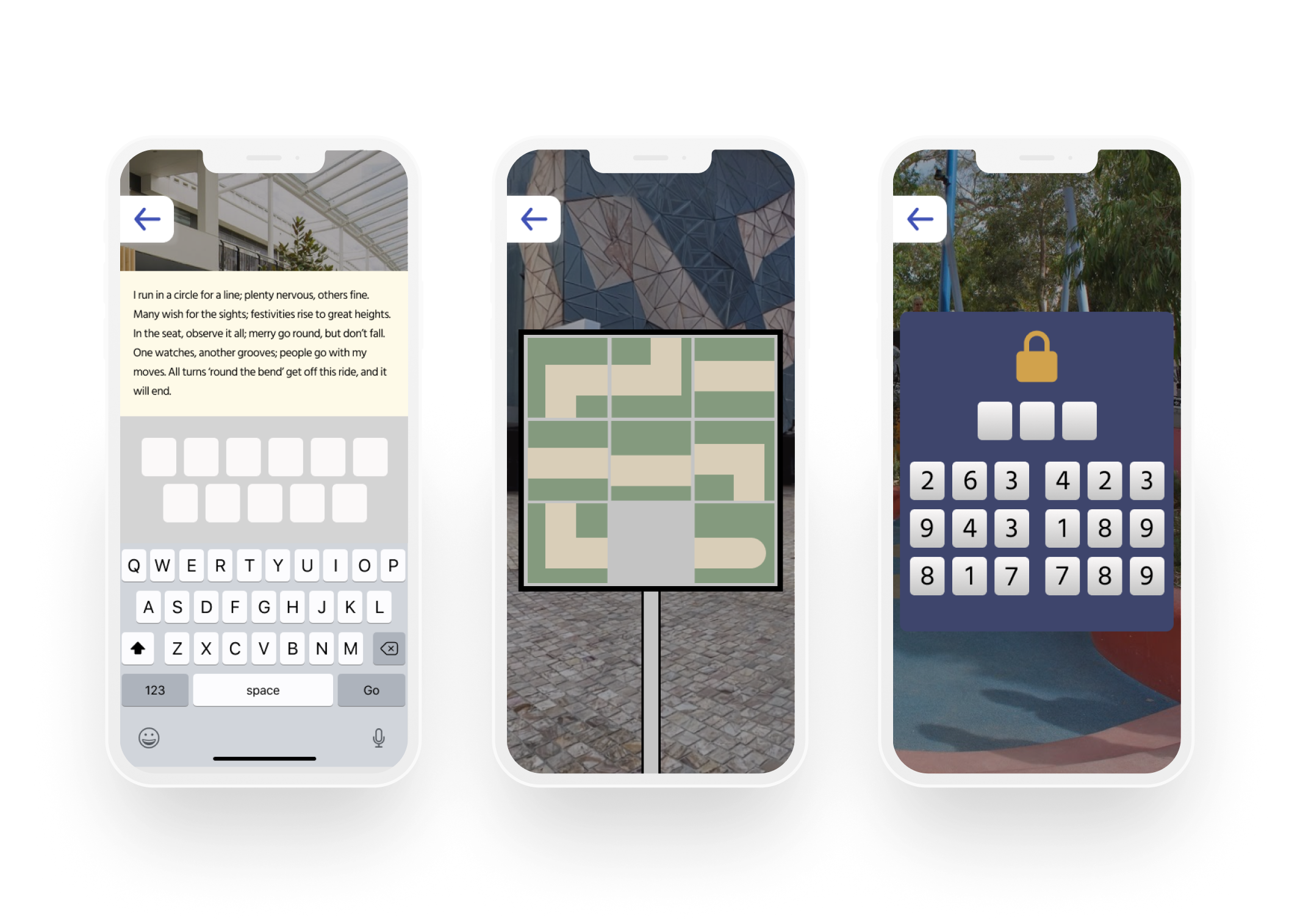
Story progression may involve users to solve puzzles in certain areas. There are a few examples of the puzzles available in the app.
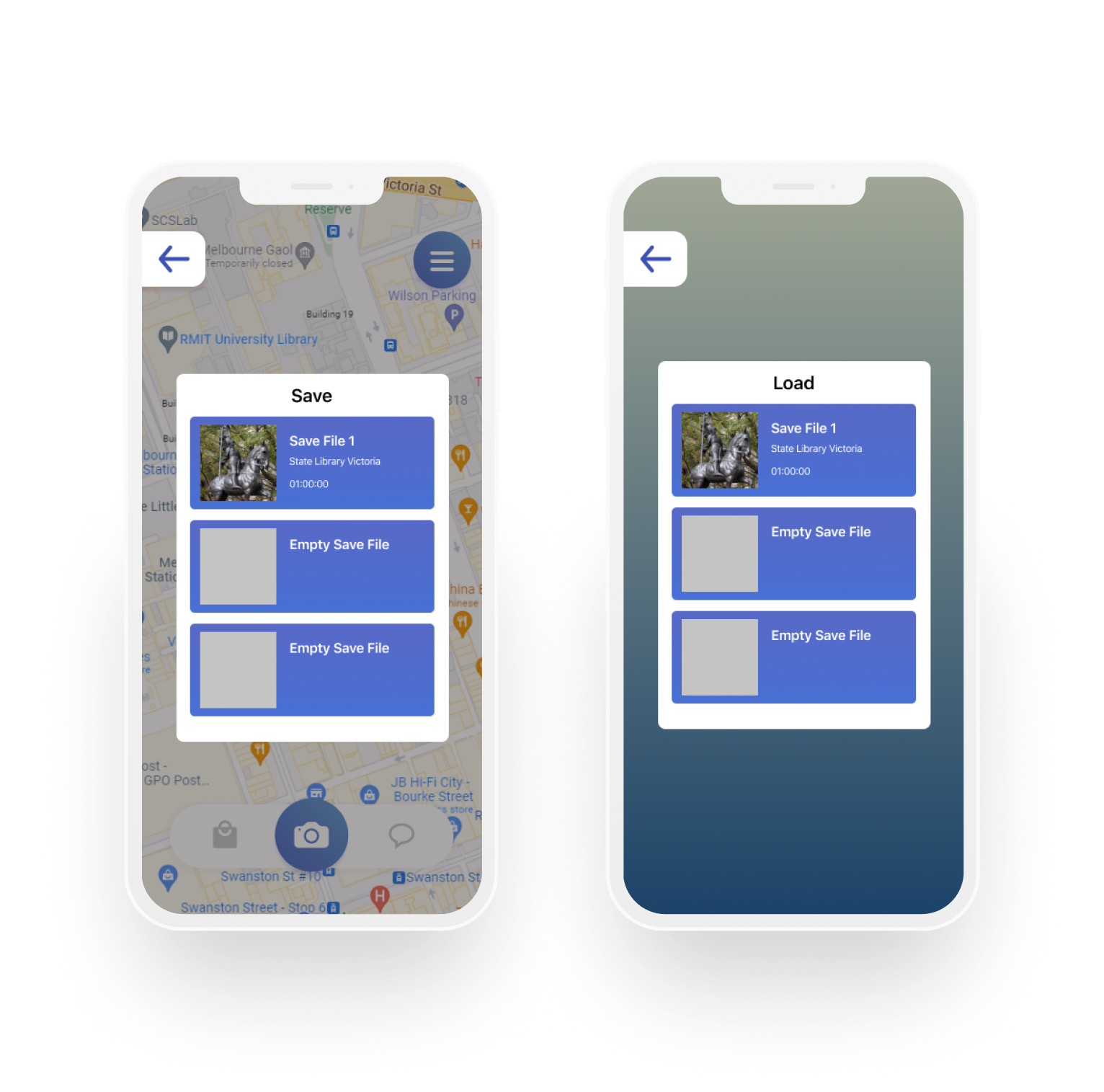
Users can save their progress at any time and resume their activities by loading their save data.


© 2022 Tulip Vy.